I no longer make these kits or whole modified units as time is moving on, and we'll all be on digital landline telephones soon (due sometime last year in 2024!) if you believe the hype. Don't hold your breath though. There are installations where digital signals are not allowed on the premises, and they still need proper access to the standard telephone network. I've left the instructions here to show you how to do it, and I may show the advanced version which gives you better clarity on the near-end microphone signal using two transformers. You can probably do even better with a nicer telephone. I do still supply the transformers, which is the important part.
Any telephone so modified will no longer have
the approval of your local copper line telecoms provider, or a
valid CE mark.
This is a very simple project that shows you how to safely link
a standard landline telephone to the microphone input of a tape
recorder or computer microphone input so that you can make good
quality recordings of important telephone conversations.
Traditionally this has been done using one of those stick-on
magnetic pick-up coils which I don't like for several reasons,
those being
a) The sucker cup keeps falling off.
b) The telephone handset is then chained to the recorder
mic input, which is particular unhelpful if you're trying to
connect to the microphone input down the back of your modern
computer.
c) The output from them is rather pitiful and is highly
dependent on finding the right spot on the handset or base
unit. This is usually where you would like your ear to be,
or involves standing up the base unit in a wobbly fashion.
d) Some modern phones have practically no magnetic output
due to the use of a ceramic earpiece and chip based hybrid
transformer solutions.
e) They pick up a lot of mains hum and other magnetic
noise when you least want it.
You can, of course, spend many hundred pounds on a professional
Telephone Balance Unit (TBU), but you don't want that
either. You will still need to keep the phone base unit
away from computer screens and mains transformers but this
solution is much better than the open stick-on pickups.
If you happen to work for a national BBC radio station funded by
a compulsory tax in the UK, for example if you are one of the
studio "engineers" on the woefully dreadful Radio 4 consumer
programme, "You and Yours," you might want to consider this
option, rather than just pointing a microphone at your awful,
tinny, mobile phone speaker. That's pathetic. We had
better standards than that on Radio Glen in 1991. So...
Bill Of Materials
Electronic Parts Included in the Kit
Qty
Item
1
Transformer LT700
1
3.5mm Stereo jack socket
1
30cm hookup wire
Pre-Requisites
I supply a kit of the electronic parts in the list above, or you
can buy your own. You will need to solder the
connections. You can try to use 2A terminal strips to
connect to the transformer and to make twisted wire connections
around the jack socket terminals, but it's not really worth
dealing with the poor connections that will inevitably ensure
over time. You'll need a bit of insulation tape and you
may choose to use a hot glue gun to stop the parts moving.
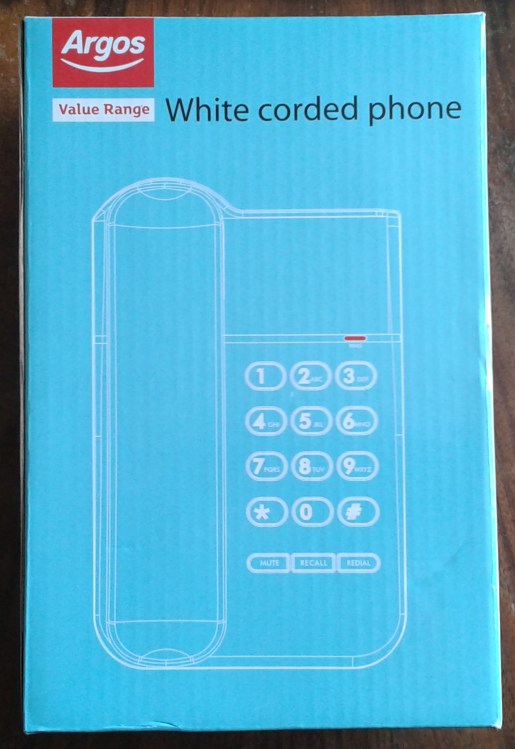
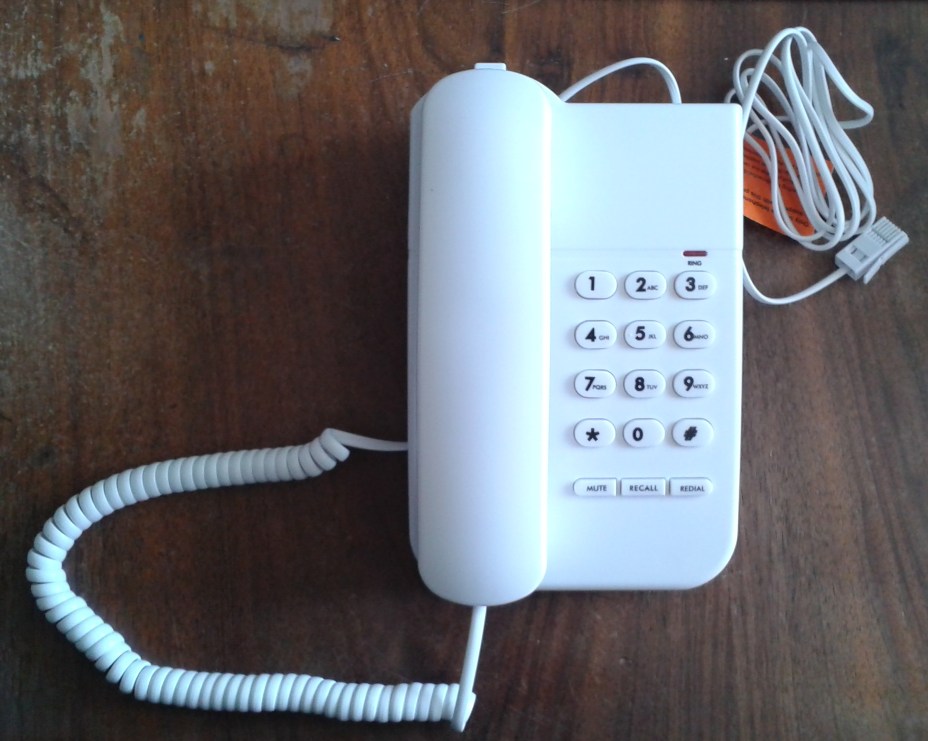
You will also need a basic desk phone which is big enough to fit
the parts into, and I've shown the adaptation procedure below
using a cheap £6.99 item from Argos as an example. You can
click on the pictures to see a larger version.
To record both sides of a telephone
conversation from a traditional landline, you only need to
record the signal coming into the receiver, or earpiece.
This is because some level of your own voice is deliberately
allowed to leak electrically from the telephone's transmitter or
microphone into the receiver. The idea is that if you
could only hear the caller at the far end and the receiver is
sealed against your ear, it creates an odd effect because you
can no longer hear yourself speaking in that ear. In
mobile phone world, we used to call this deliberate leakage,
"sidetone."
Any modern landline telephone should do, providing that there's
enough space inside for the transformer and somewhere to drill a
hole in the case and mount the socket. You might want to
buy an new, cheap phone to do this with. Line
specifications for telephone systems vary somewhat around the
world, but as we're only tapping into the receiver circuit, you
don't need to worry about this. It should work on any
telephone worldwide.
Adapting Your
Telephone
Open up the Handset

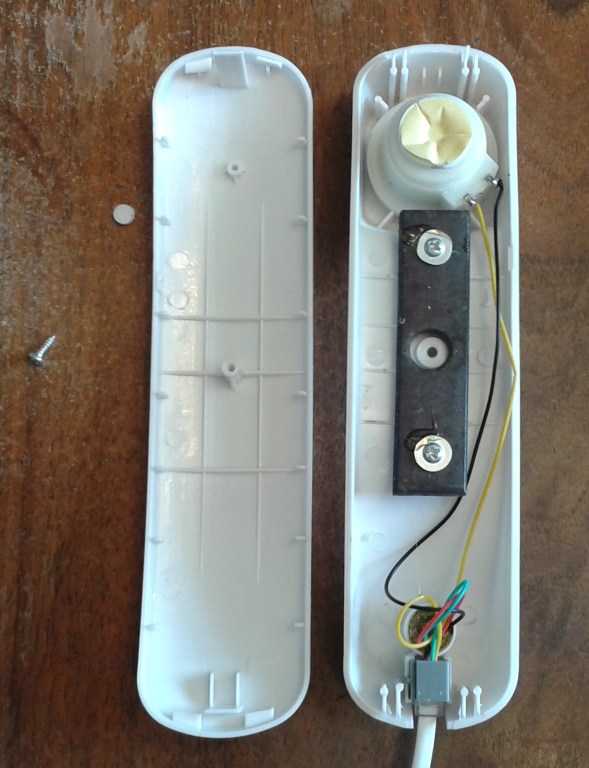
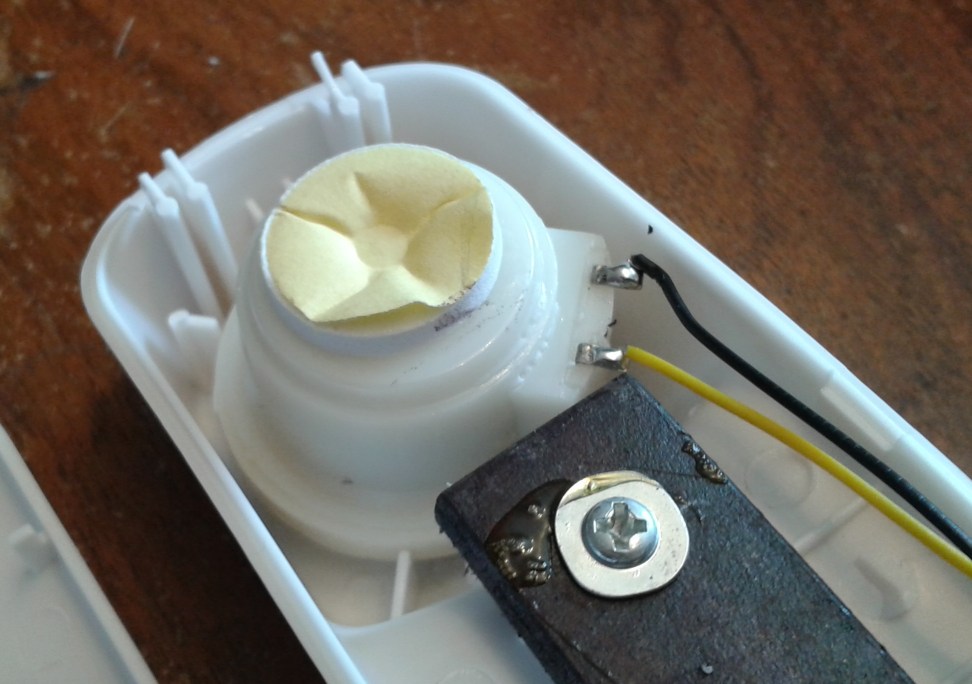

Here I've unscrewed my telephone handset and
looked inside. There's only one reason for this, and that
is to identify the colour of the wires connected to the
receiver. In this case they are yellow and black.
While I was there, with the handset unplugged from the base, I
also measured the D.C. resistance of the receiver and this
measured 120.8 Ohms in this instance. By comparison, the
D.C. resistance of the transformer on the low impedance side is
about 0.3 Ohms, so we'll be having very little effect on the
circuit. You'll sometimes find that screws are hidden
under stickers or small caps like this one. Once the screw
was removed from the handset, there were also plastic clips at
the top and bottom which had to be eased apart quite carefully
to avoid breaking them. With the wire colours noted, you
can now put the handset back together.
Open up the Base Unit And Fit the Socket
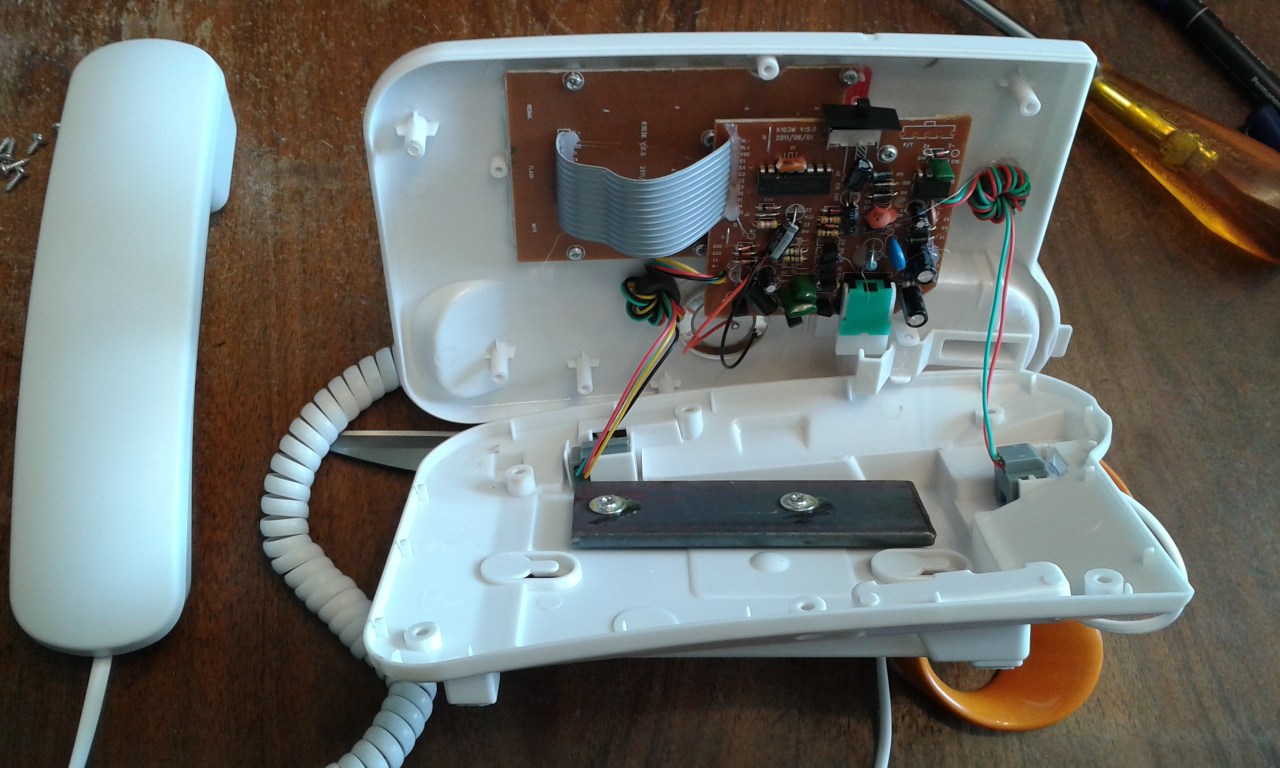
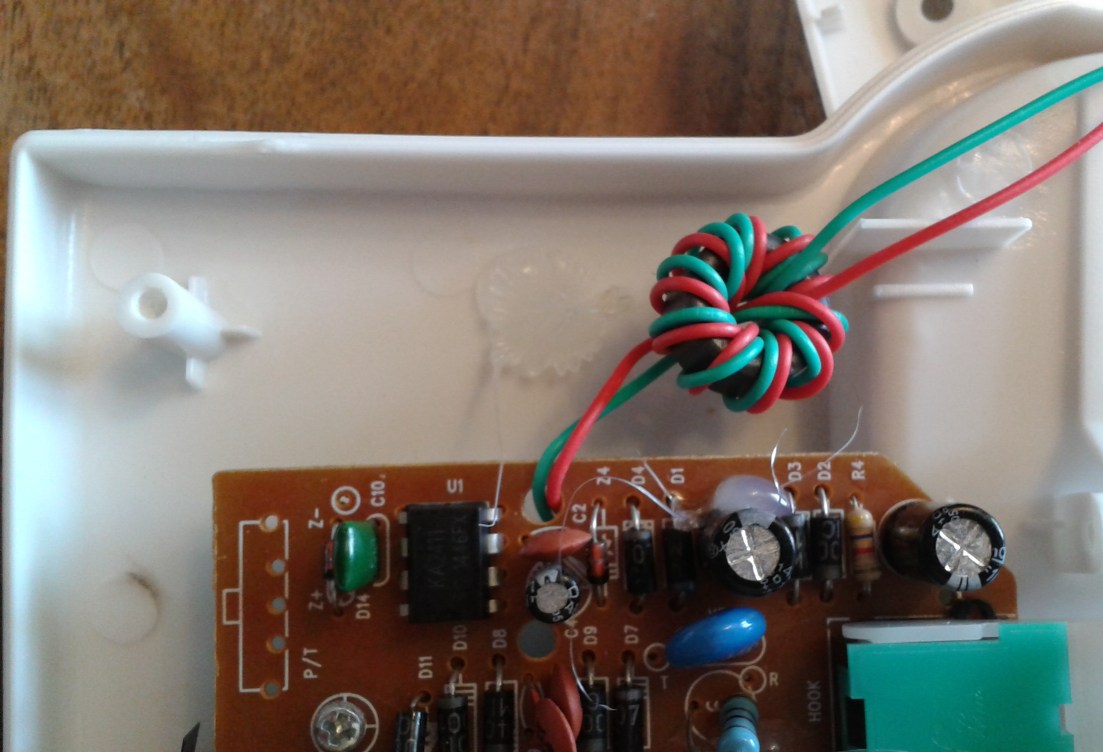
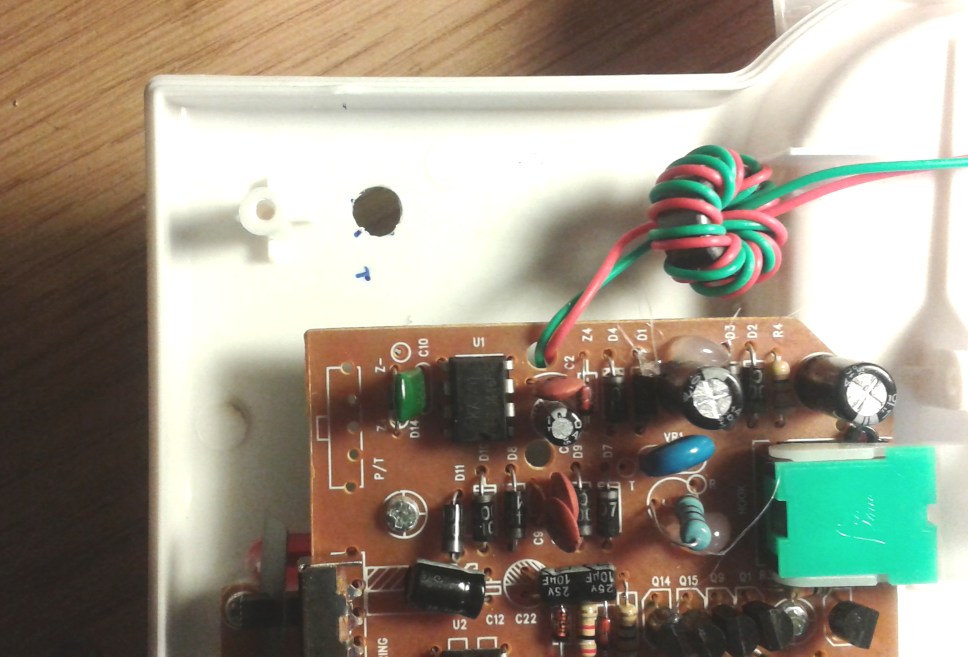


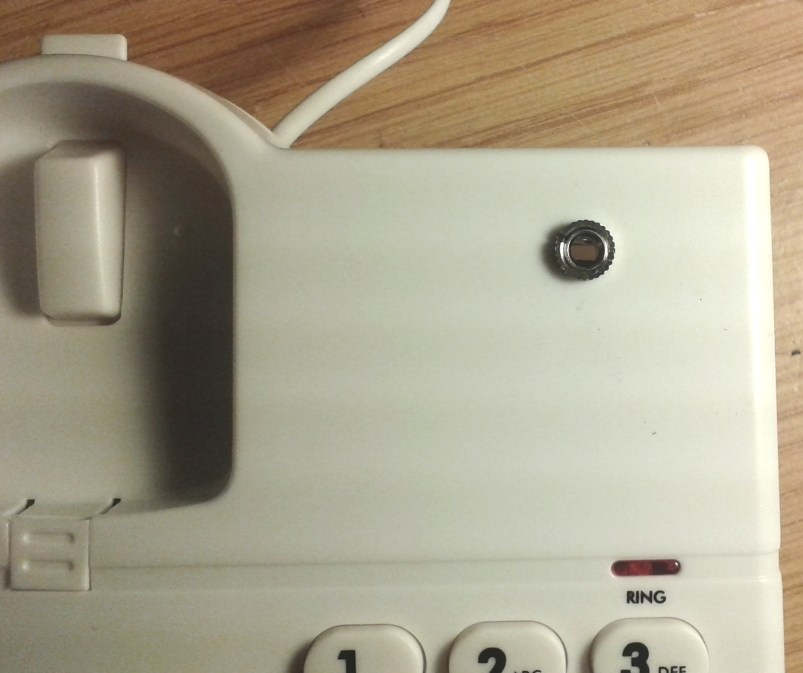
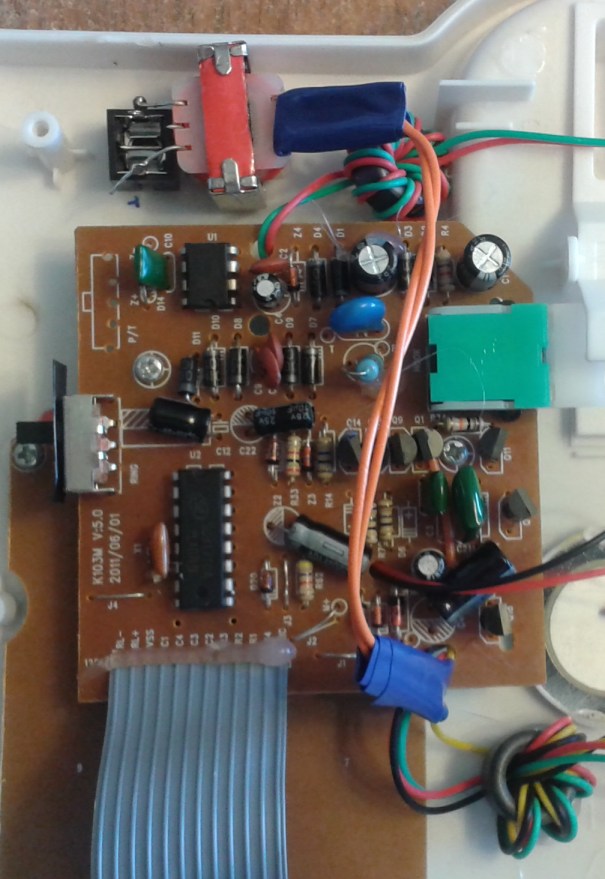
The base unit can be opened up in a similar
way, and you might need to temporarily unplug some wires, or in
my case pull some filter toroids away from their hot-glue mount
points to gain better access. You will need to find
somewhere to fit the parts, bearing in mind that it is best to
have the transformer right next to the socket to avoid having
long wires on the output side. In my case, there was no
flat side wall on which to mount the socket so I mounted it on
the flat upper face of the base unit.
Connect the Transformer to the Socket
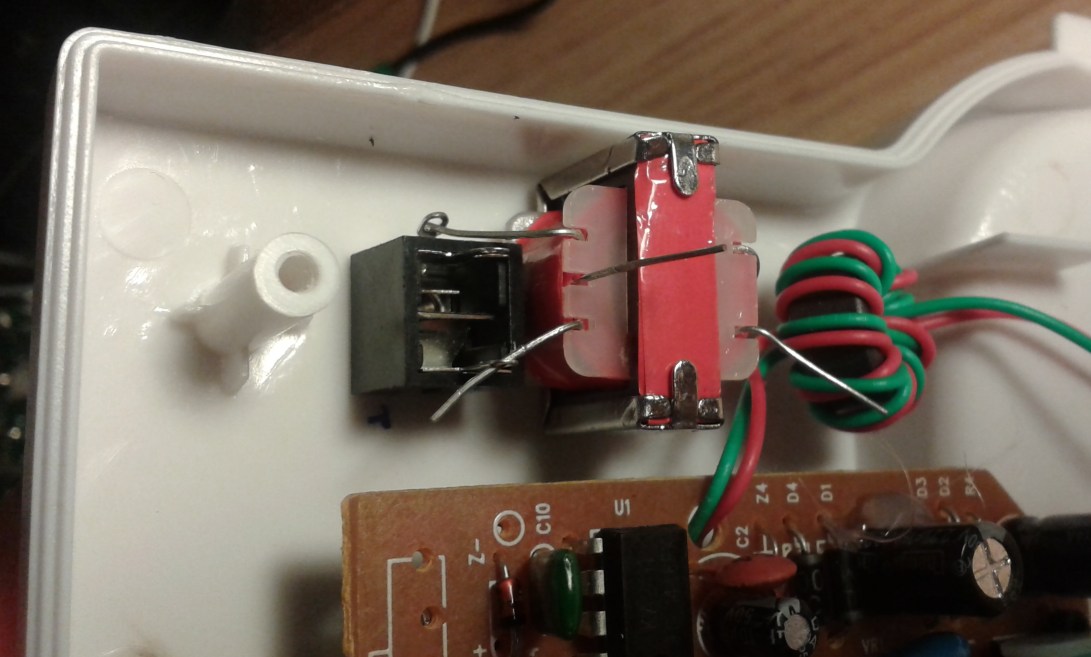
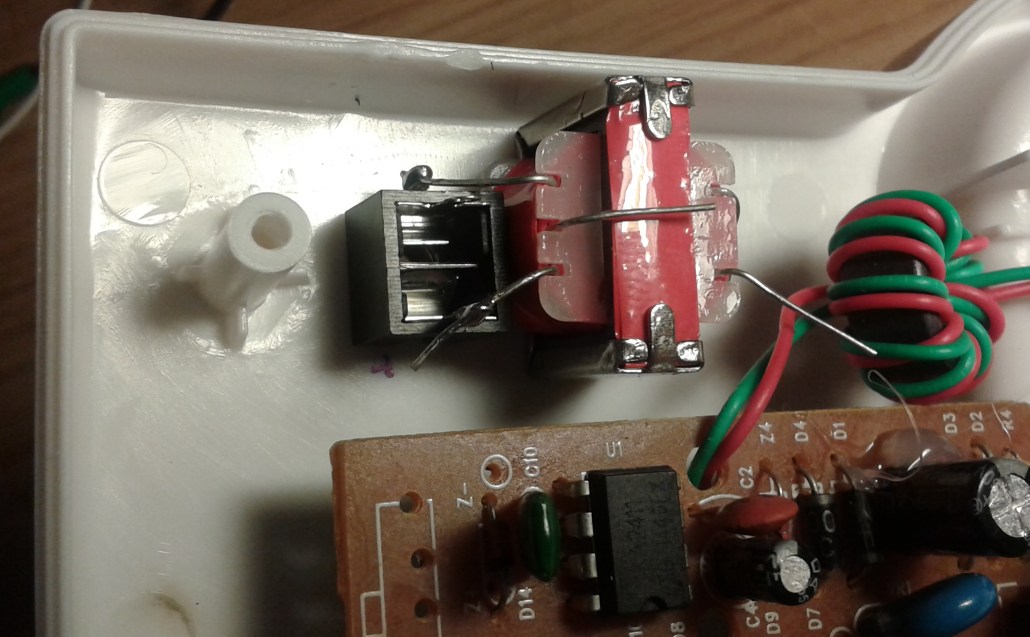
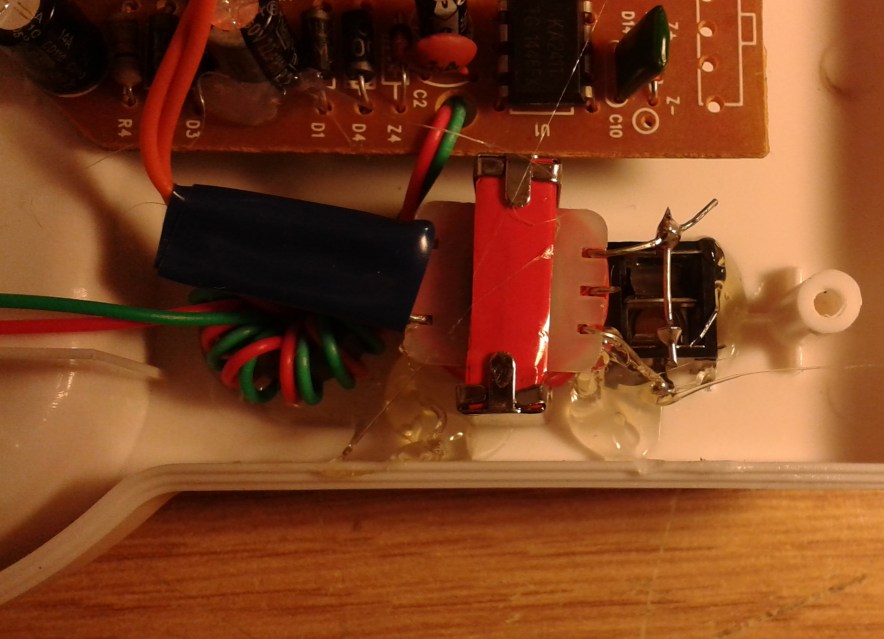
I've put the transformer right next to the socket to avoid using
any screened cable. In this phone I've folded over the
transformer mounting tabs in order to make it fit, and later
glued it down with some hot glue. I've connected initially
just to the ground terminal on the side of the socket and the
stereo tip terminal, and then bridged across to the ring
connection in order to record the same signal on both
channels. The middle wire on the transformer winding is
unused and you can just cut it off. The LT700 transformer
has a high impedance side of about 1.2K Ohms. This is
pretty much ideal for connecting into tape recorder microphone
inputs and computer microphone line inputs.
Connect the Transformer
Into The Earpiece Circuit
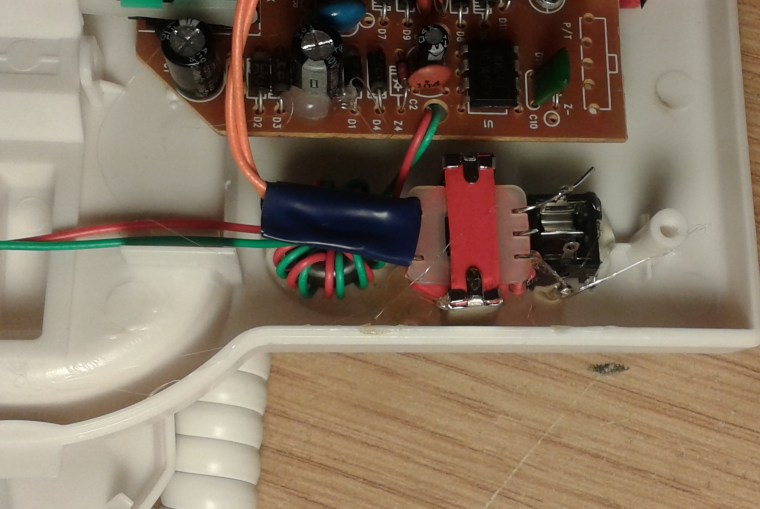
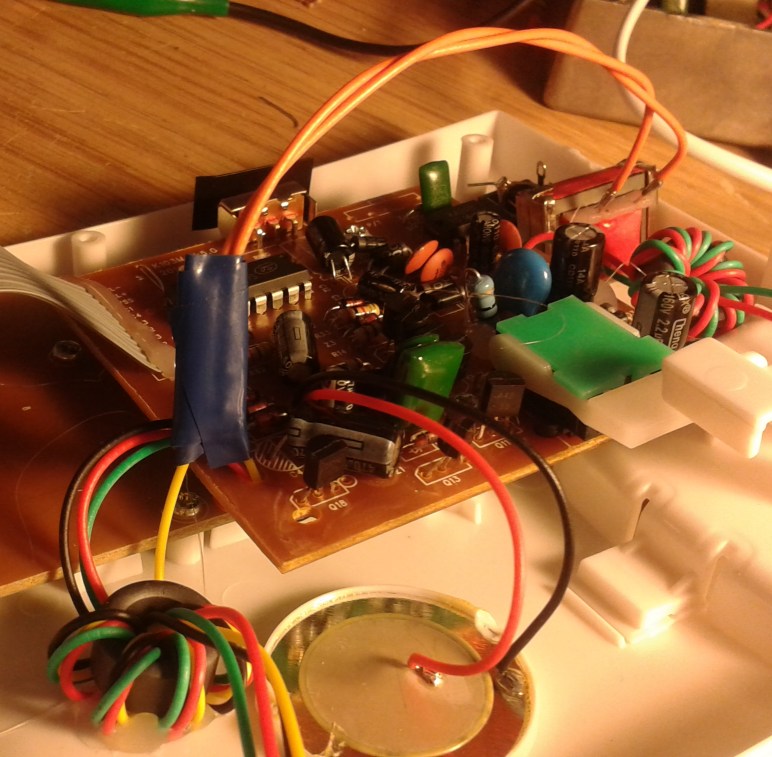
Down in the base unit it should be possible to
identify the same two coloured receiver wires connecting into
the circuit board by some connector. You want to cut into
one of them, as I have done with the yellow wire and connect the
two free ends to the side of the transformer which only has two
wires on it. This is the low impedance side. Because
it is the low impedance side, it has very little effect on the
signal going to the receiver and to the rest of the
telephone. Electrically it is almost invisible, like
connecting the two ends of the cut receiver wire back together
again. You should twist the wires around each other to
stop it forming a large loop, then you can insulate both ends
with tape and glue down the transformer and in my case, re-glue
the toroid filter that I had to move.


Put the telephone case loosely back together
and connect a standard 3.5mm jack plug stereo screened line into
the socket on the phone and most probably on the other end into
a stereo microphone socket on your tape recorder, mp3 recorder
or computer microphone input socket. Press play and record
simultaneously (:) or start the system recording. Monitor
on headphones or PC speakers. Lift the telephone
receiver. You should hear the dial tone as usual in both
the standard telephone receiver and over your recording
system. Screw the telephone base unit back together, and
you can now dial out or receive calls as usual and record that
fractious conversation with your mum, bank, phone scammers,
estate agent, or Ebay customer support in ascending order of
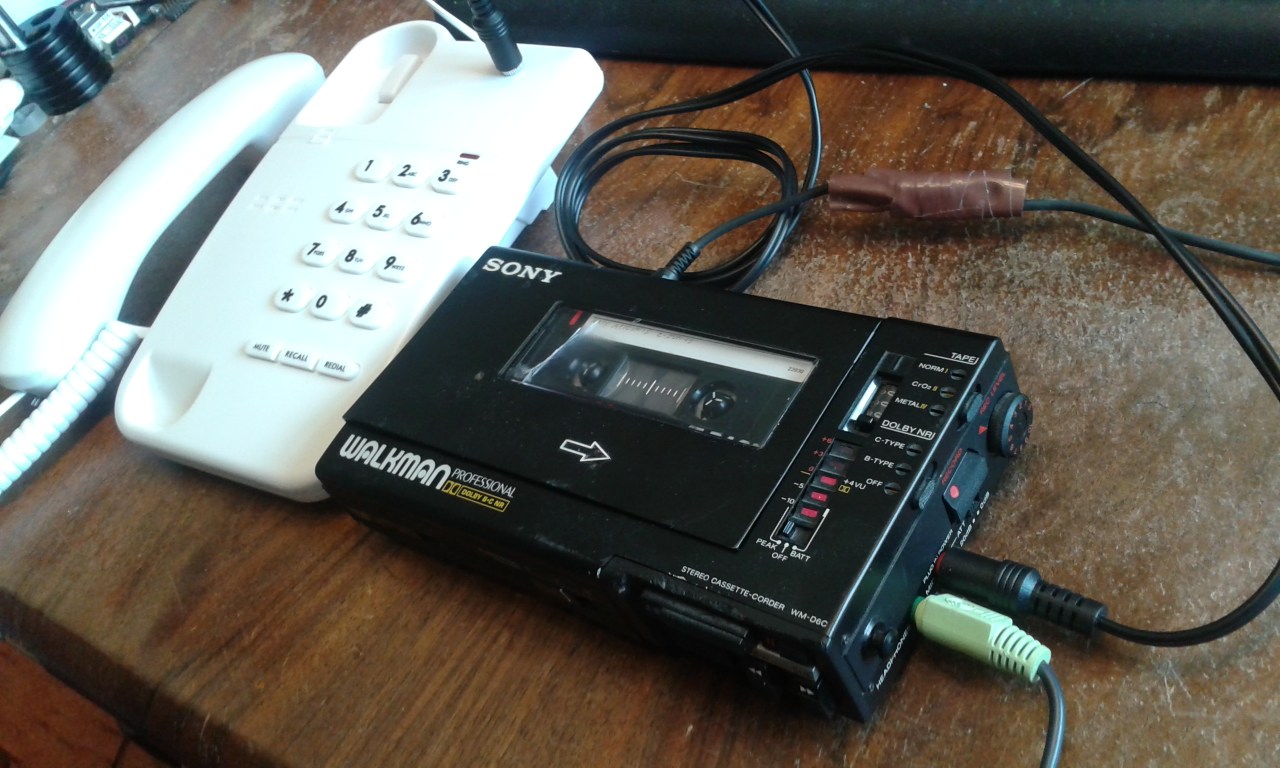
intransigence. In the picture below I'm recording dialling
tone, the recording level control is at about 4 out of 10 and
there's a full 0dB on the recording level meter.
Connecting a pair of powered PC speakers or headphones into the
headphone output allows you to monitor the recording, or allows
someone else to listen in. You can do this via the
computer also, if you can figure out the signal routing.

More Background Information
I think that the quality available is good, though the near-end
voice is somewhat high-pass filtered and this will depend mostly
on the phone used. Because we've used an isolating
transformer there are no ground loops to cause additional
hum. I've found that it's best to earth the recording
device. I find I'm much more inclined to record
interesting conversations with irritating callers or
institutions if it is more convenient to do so, and it can be
incredibly useful to have a full record of such interchanges.
Audio Samples
Here I am talking to myself on the telephone.
Tape Recorder Output Socket Test 1
FAQs
Q: I want to record conversations on my mobile phone. How
can I do that?
A: As far as I know, /all/ old Nokia phones could do that
when we were still banging the rocks together and dinosaurs
roamed the earth back in 2002. I suggest reading the
manual or getting an old Nokia and swapping out the SIM for such
occasions. On Android you can now only record the
conversation on your side, which is hardly useful.
Q: I want to make a full Telebalance Unit, a TBU, to put
callers on air on my student radio station and talk back to the
caller from the studio microphone. Can I do something like
that in a similar way without spending a small fortune?
A: Yes. Yes you can, but I've not designed or
documented it using a standard telephone properly yet. I
made two variations back in the day, which you can see on the
Interesting Electronics site.
Q: Why do you need a transformer?
A: The earpiece lines are not electrically isolated from
the telephone line which will be at some different voltage
compared to your recording device. Attempting to connect
directly to the phone receiver is a very bad idea as there will
be all sorts of hum and worse, it can cause currents to flow
from the phone line into local mains earth. This will
upset the balance and d.c. state of the line, and is likely to
annoy the 'phone company.
Q: Can I use another transformer in the telephone
microphone line to get a better recording of my outgoing voice,
perhaps fed into the other audio channel?
A: You can do this using a blue type LT44 transformer,
fitted the correct way round. The signal is at a lower
level so you have to compensate afterwards in your audio
software, or adjust the Left-Right recording gain. You can
make the call sound even better by being clever with your audio
editing software, but that's a project for another day.
Q: Do you supply these already made-up in the Argos
telephone?
A: I used to. I can still do this, but I like to try
to scrape minimum wage for the work, so they are not
particularly cheap unless compared to the £1000s of pounds that
you'll pay for a professional TBU.
More Modifications.
Since originally writing this page, I have made the 'stereo'
version which sends a cleaner version of the near-end microphone
signal out on the other stereo jack line using a second
transformer crammed into the telephone. I have used this
extensively to record telephone calls direct to a computer sound
card microphone input. The levels on each channel are
somewhat different, so some post-processing was necessary to
equalize this up. It would be possible to do this by reducing
one of the output levels using resistors, at the expense of
signal-to-noise ratio. (Or, better if you have a recording
program which can record the L and R microphone channels at
different gain levels) The sound quality achieved is very
good, and the stereo effect is a delight, usefully separating
the near and far ends of the call. With further post
processing on the computer, you can apply some compression and
limiting to the far end of the call, and bring up things
going-on in the background. Sometimes this can be very
revealing when talking to a call centre. I'll document
this more at a later date.
Should you have any problems or questions, my main email address
is shown below. This address has been the same since 1997
and unless I'm on holiday beyond mobile coverage, it is checked
daily including the spam folder.
Henry's main email address:

Navigate
Up
Recent Edit History
24-JAN-2022: Added email address image and justifiably insulted
some children working on UK national radio, BBC Radio 4.
23-DEC-2025: self canonicalised, direct refs, small changes,
tidied the html. A bit:)